Import IPs
Add the CDN edge IPs you want to test into your job. You can paste a list or load a .txt file.
Import IPs into a job
Section titled “Import IPs into a job”- From Jobs, open the job you created (click its name).
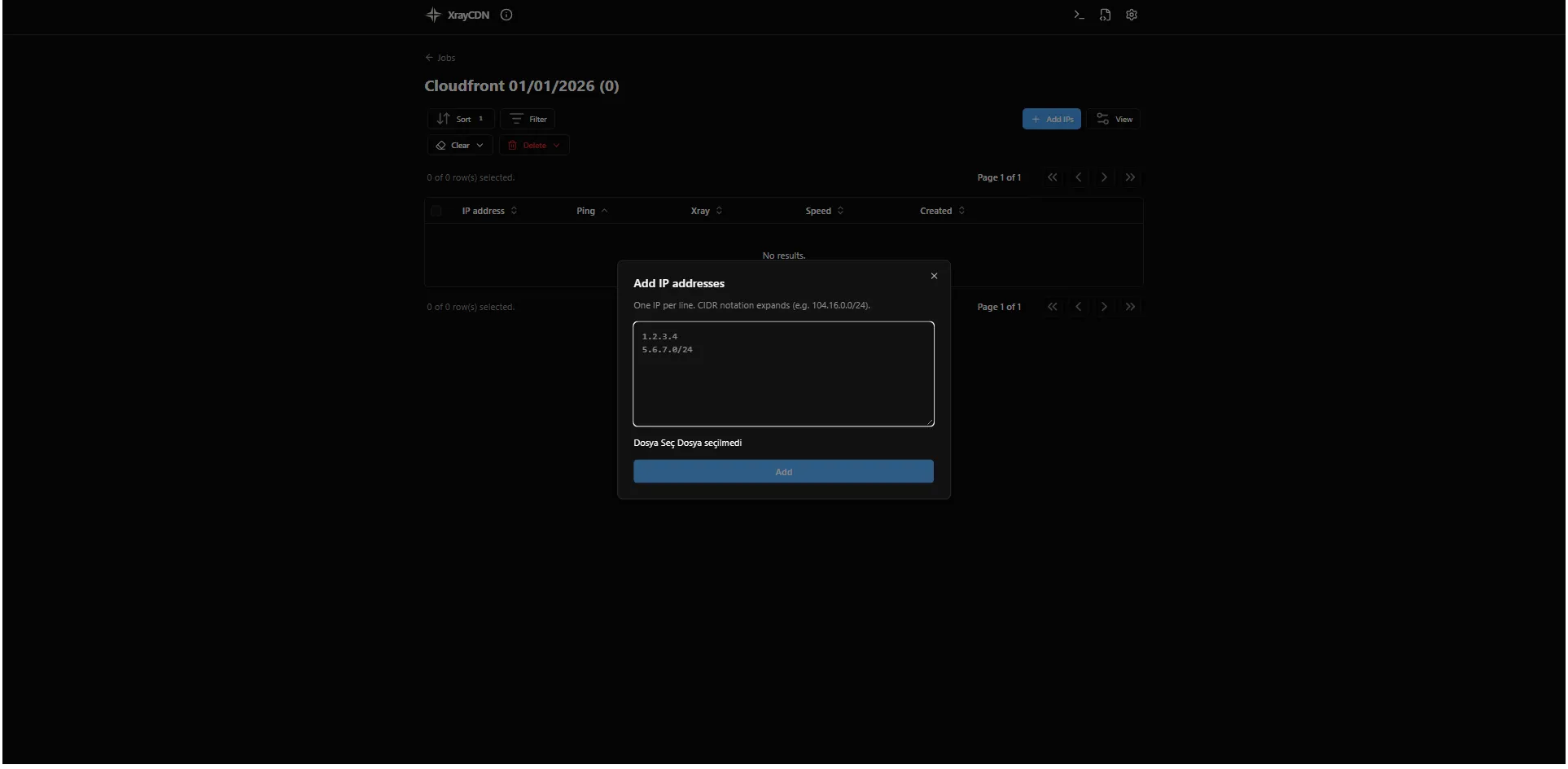
- Click Add IPs on the job screen.
- In the Add IP addresses dialog, add IPs by paste, file upload, or both:
- Paste into the text box - one IP or CIDR per line.
- Upload a
.txtfile with the same format (one entry per line). The file contents are appended to the text box.
- Click Add. New IPs appear in the job table.
Formats and examples
Section titled “Formats and examples”- Single IP:
1.2.3.4 - CIDR subnet (expands to many IPs):
104.16.0.0/24 - Mixed list:
104.16.0.1104.16.0.0/24172.67.0.1The app expands CIDR notation into individual IPs. Very large ranges are limited (max 4096 hosts per CIDR).
Next step
Section titled “Next step”Run Ping on the imported IPs.